CHEF iQ
- 4.3
- Rating
- 100.00K
- Installs
- Free
- Price

 Analysis by App-foxy
I found CHEF iQ most interesting when I stopped treating it as another recipe app and started using it as a cooking companion. Its promise is simple: help me decide what to make, guide me through preparation, and make the finished plate feel more intentional. That sounds familiar in the crowded Food & Drink category, but the app’s value depends less on a single impressive feature than on whether it can become part of my weekly cooking rhythm.
My first impression was positive because the app feels aimed at people who want to cook with more confidence rather than merely collect recipes. The developer, CHEF iQ, has built something that sits between a recipe library and a practical kitchen guide. It is free, rated for Everyone, and available for devices running Android 7.0 or later, so the barrier to trying it is low. The current version is 5.3.0, and the app has already passed the 100K-install mark, with a 4.3 average from around 6.9K ratings.
From an appealing first week to a useful cooking habit
The first week is where an app like this has the easiest job. I am curious, motivated, and willing to explore. CHEF iQ takes advantage of that curiosity by making the cooking process feel more structured than opening a random recipe in a browser. Instead of jumping between search results, advertisements, videos, and comment sections, I can approach a meal as one continuous task: choose an idea, gather what I need, cook through the steps, and think about how it turned out.
You May Also Like

 Blood Strike: 2.5 Anniversary
Blood Strike’s Loadouts Turn Every Drop Into a Tactical Gamble
A close look at Blood Strike’s custom loadouts: how fast access to signature weapons reshapes its battle royale rhythm, rewards preparation, and narrows the gap between fights.

 Pandora - Music & Podcasts
Pandora’s Music Is Easy to Start, but Harder to Recover
Pandora’s strength is its low-effort path from a seed to a station. Its weak spot is how much confidence it asks you to place in connection, setup, and quiet recovery.

 8 Ball Pool
 Is Built on Rivalries, Rematches, and Routine
A close look at the rivalries, rematches, shared routines, and unanswered safety questions that turn a quick pool match into a persistent mobile community.

 Samsung Music
’s Quiet Strength Is Playing What You Already Own
Its reach comes less from spectacle than from dependable access to a personal library. That simplicity is both the app’s strongest retention engine and its ceiling.

 AccuWeather: Weather Radar
AccuWeather Review: A Quick, Clear Forecast for Everyday Decisions
For everyday plans, the best forecast is the one you can understand quickly. AccuWeather makes rain timing, radar, and local conditions easy to act on, with a few trade-offs.

 Hill Climb Racing
Why Hill Climb Racing Still Turns Crashes Into One More Run
A tiny car, a bumpy hill and one more upgrade: Hill Climb Racing keeps resurfacing because its simple chaos makes every near-miss feel personal.
More From Our News Desk
View All News


That structure matters most on ordinary evenings. Imagine coming home with chicken, vegetables, rice, and a few ingredients that need using soon. A conventional search engine may return dozens of recipes with different techniques and missing items. A social video app may show an attractive dish without giving enough context about timing or preparation. CHEF iQ is more useful when I want a calmer route from “what can I make?” to “dinner is ready.”
I also like the app’s emphasis on creating and plating rather than simply consuming instructions. That makes it more approachable for someone who wants to improve gradually. A beginner can follow a clear cooking path, while a more experienced home cook can use the recipe as a framework and adjust seasoning, sides, or presentation. The strongest first-week benefit is reduced decision fatigue, not culinary magic.
That distinction is important. The app does not remove the need to understand ingredients, manage heat, or notice when food is cooking faster than expected. A recipe guide can organize the work, but it cannot replace judgment. I still need to read ahead, prepare ingredients sensibly, and keep an eye on the pan. People expecting a completely hands-off experience may find the app less transformative than its polished presentation suggests.
What makes the early experience feel practical
During the first few sessions, I would use CHEF iQ in a deliberately simple way. I would begin with a meal whose ingredients I already recognize, rather than choosing the most ambitious option. That gives the app a fair test: I can judge whether its instructions improve my process without being distracted by unfamiliar equipment or difficult techniques.
One useful habit is to review the complete recipe before starting. It is tempting to begin immediately and let the app reveal each step as I go, but cooking becomes smoother when I know the overall sequence. I can spot resting periods, preheating needs, or ingredients that appear more than once. This small preparation step is easy to overlook, yet it is where a digital cooking assistant can genuinely save time.
I would also keep the phone or tablet away from the main splash zone. The app may be designed for kitchen use, but that does not mean a device belongs beside an open pot or under a cloud of steam. A clean viewing position lets me glance at instructions without repeatedly touching the screen with wet or greasy hands. This is not a glamorous tip, but it makes the difference between a smooth cooking session and an irritating one.
Another early advantage is confidence. When I cook from a loose web search, I often wonder whether I have missed an important step. A dedicated cooking app gives the process a clearer boundary. Even when I already know how to make something, that reassurance can help me stay organized. For new cooks, the psychological benefit may be larger than the technical one.
Where the novelty starts to fade
After several sessions, the initial discovery effect naturally weakens. A new collection of recipes is exciting at first, but the real test is whether CHEF iQ continues to help when I am tired, short on time, or shopping with a fixed budget. This is where I would not judge it by how attractive the first browsing session feels. I would judge it by whether I open it on an unremarkable Tuesday.
The app earns repeat use when it helps me make decisions I would otherwise postpone. If I can use it to turn familiar ingredients into a meal without excessive searching, it has a place in my routine. If I only open it when I want inspiration, it becomes another app competing for occasional attention. That difference separates a useful kitchen tool from a novelty.
For me, the best recurring use is not cooking a completely new dish every day. It is rotating a small group of dependable meals while using the app to vary one element: a different seasoning direction, a new side, or a more thoughtful presentation. This approach keeps the experience manageable. It also avoids a common problem with recipe platforms, where constant novelty creates more shopping and more unused ingredients than actual improvement.
Month-to-month value depends on how you cook
CHEF iQ has more lasting value for people who cook at home regularly and want a central place for guidance. If I prepare meals several times a week, even modest reductions in planning friction add up. I can use the app to establish a repeatable sequence: decide on a dish, check the ingredients, prepare the workspace, and cook without repeatedly leaving the kitchen to search for clarification.
It is less compelling for someone who mostly orders food, relies on ready-made meals, or already has a settled collection of trusted recipes. In that situation, the app may provide occasional inspiration, but it will not automatically create a cooking habit. No recipe service can overcome a lack of time, enthusiasm, or access to a workable kitchen.
The free price makes experimentation easy, which is a meaningful advantage. I can try it without first deciding whether it deserves a subscription or a purchase. That matters when I am comparing it with cookbooks, paid recipe services, video creators, or ordinary browser searches. A free app has to earn my continued attention through usefulness rather than through an upfront financial commitment, and CHEF iQ gets a fair opportunity to do that.
Still, “free” does not mean costless in a broader sense. My time, attention, ingredients, and device battery are all part of the experience. A recipe that requires a special shopping trip may be less practical than a simpler meal I already know. I would therefore judge each suggestion against my actual pantry and schedule, not just its appearance in the app.
The app’s audience size suggests that it has found a real audience: it has around 969 written reviews alongside its broader rating activity. I do not treat that as proof that every cook will enjoy it, but it does make the product feel established enough to take seriously. My own conclusion is more specific: the app is most valuable when it becomes a repeatable planning aid, not when it is used as an endless catalog.
Maintenance is mostly behavioral, not technical
The maintenance burden begins with keeping my cooking expectations realistic. I need to choose recipes that fit the ingredients I can obtain and the time I actually have. If I repeatedly select meals that are too elaborate, the app will start to feel demanding even if the instructions are good. That is not entirely the app’s fault, but a cooking platform can encourage overambitious browsing if I let inspiration outrun routine.
I would maintain a simple personal rhythm around it. At the start of the week, I would browse for a small number of realistic meal ideas. Before shopping, I would check which ingredients overlap. On cooking days, I would read the method once before touching the ingredients. Afterward, I would remember which steps felt awkward and whether the result justified the effort. This turns the app from a passive source of recipes into a feedback loop for improving my choices.
One of the more useful trade-offs is the balance between following instructions exactly and adapting them to real life. Beginners benefit from consistency, especially while learning timing and preparation. Experienced cooks may become frustrated if they feel constrained by a fixed sequence. I would use the app as a reliable baseline, then make small changes only after understanding the purpose of the original step.
Device maintenance also affects the experience. A phone with an older operating system may not meet the Android 7.0 requirement, so checking compatibility before planning around the app is sensible. On a supported device, I would still keep the software updated when practical, particularly for a kitchen app where stability and readable instructions matter more than flashy extras.
There is also a social maintenance question. If several people share cooking duties, the app works best when everyone agrees on how it will be used. One person may prefer to follow every instruction, while another may improvise freely. Establishing a shared routine prevents the app from becoming a source of disagreement about whether a meal was “done correctly.” Cooking should remain flexible enough for household preferences.
The recurring sources of fatigue
The first source of fatigue is repetition in the wrong places. If I have to perform the same searching, checking, and ingredient interpretation every time, the app may not feel much better than a browser. A cooking app needs to reduce mental overhead, not simply move it into a more attractive interface. My patience is highest when the next useful action is obvious.
The second is screen dependence. I do not want to spend the entire meal with one hand on a phone. Touch controls can be awkward when my hands are wet, and constant checking interrupts the natural rhythm of cooking. CHEF iQ is therefore best used as a guide I consult at key moments, not as something I stare at continuously. Reading ahead and grouping tasks helps reduce that friction.
A third issue is the gap between recipe language and kitchen reality. Ingredients vary in size, pans distribute heat differently, and home cooks work at different speeds. If I follow a time estimate too rigidly, I can end up focusing on the clock rather than the food. The app is more useful when I treat instructions as a sequence of cues and verify the result with ordinary sensory judgment.
Discovery can also become tiring if I feel pressured to constantly try something new. The app’s “create” spirit is appealing, but novelty is not the same as value. I would rather repeat a successful meal and improve one detail than abandon it for a more complicated recipe simply because it looks more exciting. Long-term usefulness comes from helping me cook well repeatedly, not from producing an endless stream of kitchen projects.
There is a final emotional friction that recipe apps rarely solve: disappointment. If a dish does not work, I may blame the instructions, my technique, the ingredients, or the equipment. CHEF iQ can make the process clearer, but it cannot guarantee that every result will match a photograph or my expectations. I appreciate the app more when I use it as a learning tool and less when I treat it as a promise of restaurant-quality results.
Who should make room for it
I would recommend CHEF iQ to a beginner who wants more structure than a casual video but does not want to buy a cookbook for every cuisine. It is also a good fit for a busy home cook who is comfortable preparing food but wastes too much time deciding what to make. The app can help turn scattered ingredients and vague intentions into a concrete plan.
It may suit couples or families who want to cook together, provided they agree on the level of guidance they prefer. One person can handle preparation while another follows the sequence, making the app a shared reference rather than a private screen. It is also useful for someone trying to make plating feel more deliberate without turning dinner into a formal event.
I would be more cautious about recommending it to a cook who already has a highly organized meal-planning system, a large personal recipe archive, or a strong preference for printed instructions. If your existing method is faster and more comfortable, adding another digital layer may create work instead of removing it. The same applies to people who rarely cook at home; occasional browsing probably will not justify building a new routine.
It is not the right choice if you want a pure grocery-list manager, a social cooking community, or a replacement for personal culinary judgment. Its appeal is the guided cooking experience. Choosing it for a function outside that core purpose would likely lead to disappointment.
How it compares with familiar alternatives
Compared with a search engine, CHEF iQ feels more focused. A web search is excellent when I know exactly what I want or need to compare many viewpoints, but it often surrounds a recipe with distractions and inconsistent formatting. The app is better when I want a contained cooking session. The browser remains better for unusual substitutions, niche techniques, or broad research.
Compared with a video platform, the app favors active reference over passive watching. Videos can show texture, movement, and visual cues in a way text cannot, but they also force me to pause, rewind, and keep a screen visible. I prefer CHEF iQ when I need a sequence I can scan quickly, while video is more helpful when I am learning a technique that is difficult to understand from words alone.
Compared with a traditional cookbook, the app is easier to explore and more convenient to carry around, but a book has a calmer physical presence. I can leave it open on the counter without worrying about sleep settings, accidental taps, or food on the screen. A cookbook also encourages deeper familiarity with a smaller collection of recipes. CHEF iQ wins for discovery and guided access; a good book can win for permanence and concentration.
Compared with a highly experienced friend, the app is available whenever I need it but cannot respond to every detail of my kitchen. A friend may notice that my pan is too crowded or that my ingredients differ from the intended version. CHEF iQ is a dependable starting point, not a substitute for feedback from someone who can see the meal in progress.
My long-term verdict after the first excitement
CHEF iQ earns lasting space on my device when I use it with a modest, repeatable goal: cook more often, make planning easier, and learn through consistent practice. Its free access makes that experiment straightforward, and its Everyone rating keeps it approachable for a broad household audience. The 2020 release gives it a history beyond a brand-new launch, while version 5.3.0 shows that the app remains an actively presented product.
My recommendation is not based on the idea that it will transform every meal. It will not. Its real strength is quieter: it can make the path from inspiration to preparation feel less scattered. That is enough to matter if I cook regularly and choose recipes that fit my life. The app becomes particularly worthwhile when I use it to build a small rotation, learn from what worked, and return to cooking without demanding constant novelty.
The main limitation is that the app still asks for attention, judgment, and follow-through. I have to shop sensibly, prepare the workspace, read the method, adapt to my equipment, and clean up afterward. If I want a completely effortless dinner, no recipe app can deliver that. If I already have a system that handles these decisions better, CHEF iQ may feel unnecessary.
For a friend deciding whether to try it, I would say this: install it for the first-week guidance, but keep it only if you still open it on an ordinary evening a month later. Start with familiar ingredients, read the full method before cooking, and use the app to create a dependable rhythm rather than chase impressive dishes. Its lasting value comes from making regular home cooking easier to repeat, not from making every meal feel like an event.
FAQs for CHEF iQ
01What is CHEF iQ and how does it enhance cooking?
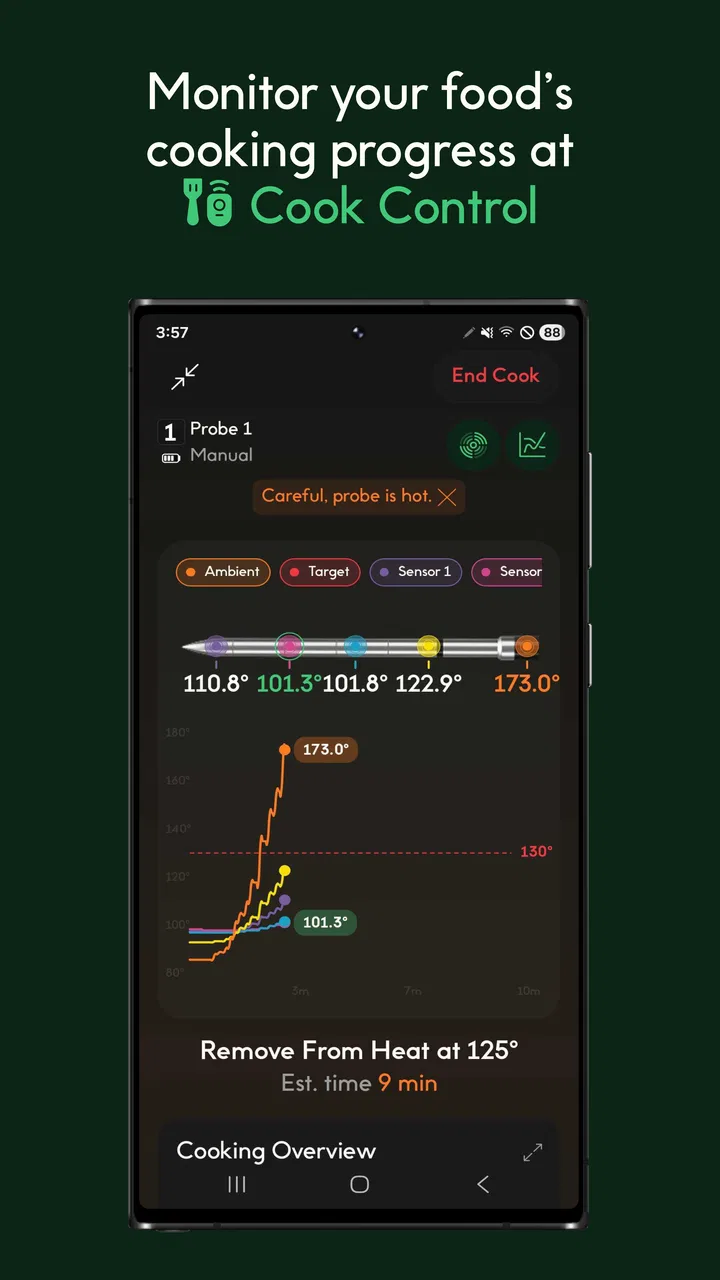
CHEF iQ is a smart cooking app designed to work with the CHEF iQ Smart Cooker. It enhances your cooking experience by providing a library of recipes, cooking guides, and real-time monitoring. The app connects to your cooker via Wi-Fi or Bluetooth, allowing you to control cooking modes and settings directly from your smartphone, ensuring precise and effortless meal preparation.
02Does CHEF iQ offer a variety of recipes suitable for different dietary needs?
Yes, CHEF iQ offers a diverse range of recipes catering to various dietary preferences, including vegetarian, vegan, gluten-free, and keto options. The app continuously updates its recipe library, ensuring that users have access to both classic dishes and the latest culinary trends, making it easier to find recipes that fit specific dietary needs.
03Is the CHEF iQ app user-friendly for beginners?
Absolutely, the CHEF iQ app is designed with beginners in mind. It offers step-by-step cooking guides, video tutorials, and helpful tips to ensure a seamless cooking experience. The intuitive interface makes it easy for users to navigate through recipes and settings, making it a perfect tool for those new to cooking as well as seasoned chefs.
04What devices are compatible with the CHEF iQ app?
The CHEF iQ app is available for both Android and iOS devices. It requires a compatible smartphone or tablet with Bluetooth or Wi-Fi capabilities to connect with the CHEF iQ Smart Cooker. Regular updates ensure compatibility with the latest operating systems, enhancing functionality and performance across different devices.
05Are there any subscription fees or hidden costs associated with CHEF iQ?
The CHEF iQ app itself is free to download, and there are no mandatory subscription fees to access its core features. However, there might be optional in-app purchases or additional content available for a fee. Users should check the app store for any potential costs associated with premium features or content.
Pros
- Intuitive user interface for easy navigation.
- Wide range of recipes with step-by-step guidance.
- Built-in scale for precise ingredient measurements.
- Smart cooking calculator for perfect results.
- Seamless integration with smart kitchen devices.
Cons
- Limited offline functionality can be frustrating.
- Some features require a stable internet connection.
- Occasional syncing issues with devices.
- Recipe library could be more extensive.
- App updates can sometimes be slow to roll out.

CHEF iQ
Gallery